Designing an intuitive drag-and-drop grouping experience for live presentations
Overview
Wooclap is an edtech platform that helps presenters add exercises to their presentations — like quizzes, polls or open questions. What was missing was a clean way to group multiple items under a single label.
The platform lacked a way to test many-to-one categorisation. The closest existing format was Matching, but it only supported one-to-one logic. My task was to design a solution for this gap.
I designed “Grouping” — a new exercise type. Core decisions: introduce it as a new feature rather than expanding an existing one; use drag-and-drop; and let the UI handle feedback without interrupting the flow.
The proposal covered exercise taxonomy, interaction models, presenter configuration, participant experience, and directions for further exploration.
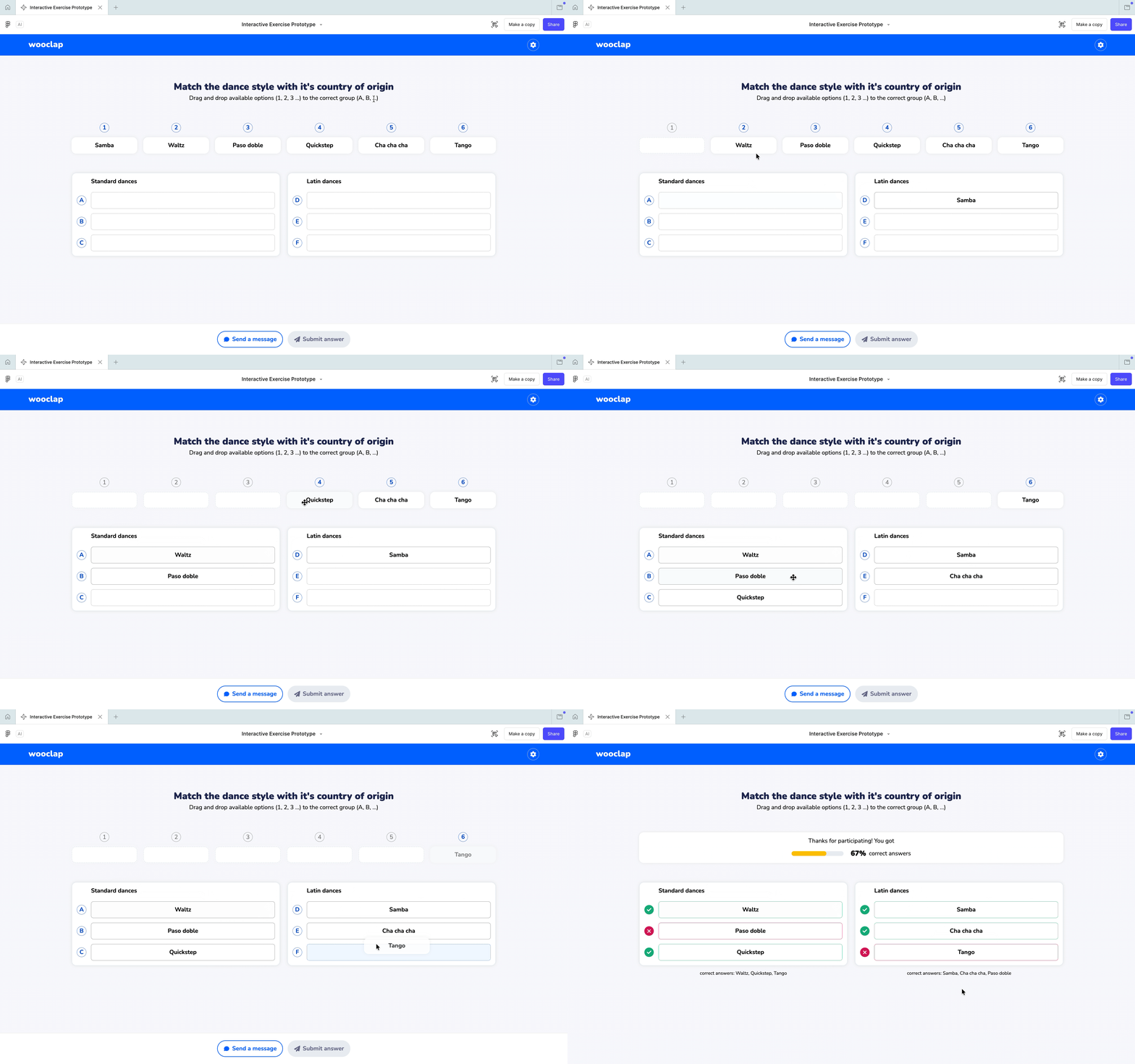
Participant view — completing the exercise. Numbered items sit at the top, ready to drag to group containers waiting below. The subtitle carries the main instructions, keeping the interface clean and straightforward.
Key design decisions
Grouping as its own exercise type
One-to-one and many-to-one work differently. Keeping them separate makes picking exercises easier and lets Grouping evolve on its own.
Matching layout for presenters and participants
Thanks to this approach, participants who enter the exercise know exactly what to expect and they don't have to learn a different layout or mechanics.
Drag-and-drop is the main interaction
Dragging and dropping fits right into how we naturally group things — you just grab something and put it where it belongs. It makes the many-to-one idea feel super natural, no need to explain.